One journey. Connected. Every step.

Theory prep, route practice, and calmer first drives.

Keep theory, selected-centre practice, and low-stress guidance in one learner journey.

Theory prepSelected-centre practiceCalmer first drives
32 languages
317 centres
3,538 routes
Drivest learner home screen.
Mode-aware learner home

Calmer first drives

Navigation, prompts, and arrival support

Keep newer-driver guidance, road prompts, and destination support visible without leaving the same learner journey.

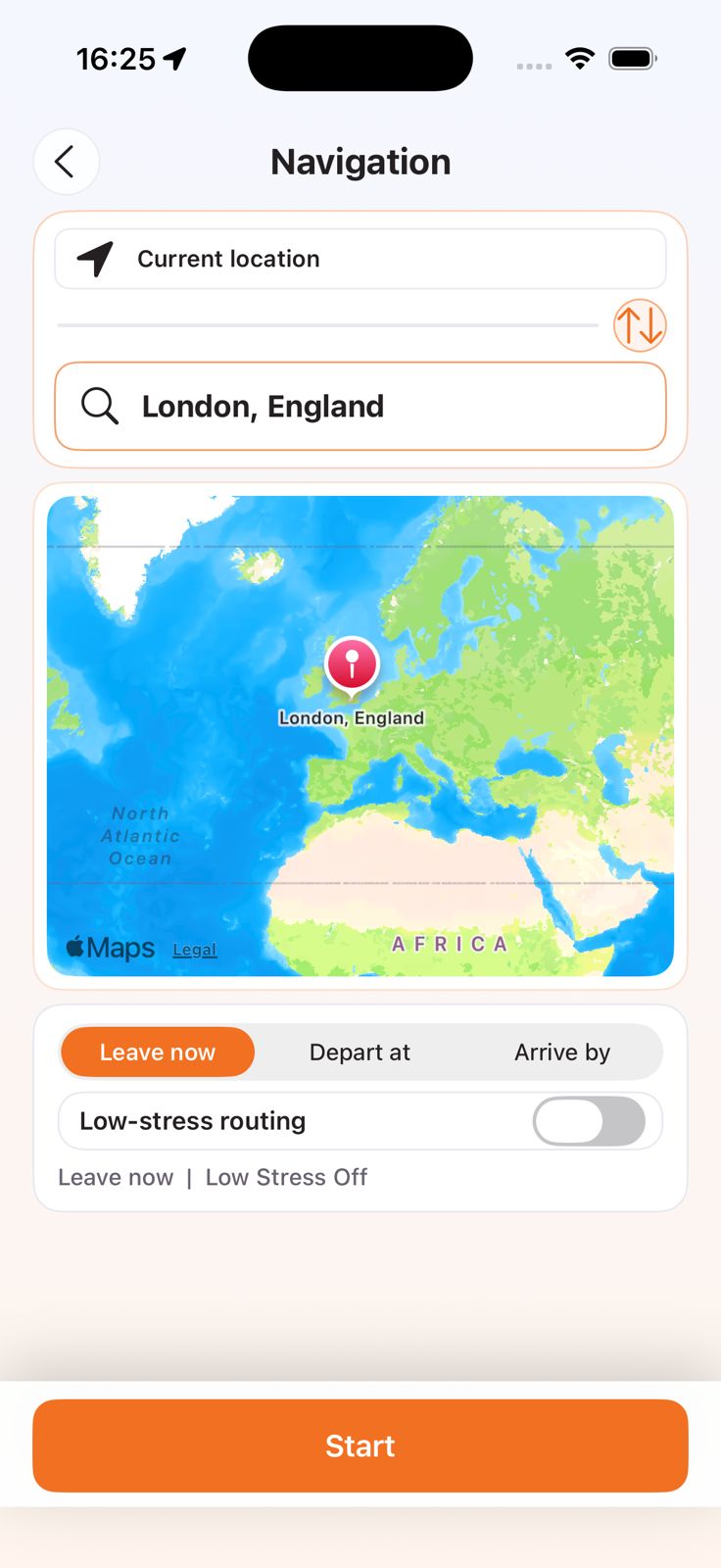
Drivest navigation overview screen.
Low-stress guidanceRoad promptsParking support

One journey. Connected. Every step.

Everything learners need works better when it stays connected.

Drivest keeps theory prep, selected-centre practice, progress context, navigation support, and instructor flows where enabled on the same learner path.

01 Before lessons

Theory

Start with theory questions, Highway Code, road signs, and fines revision.

02 When lessons are needed

Instructors

Browse participating instructors and view stated availability where enabled.

03 Around a selected centre

Practice routes

Repeat reconstructed mock-practice routes for local familiarity and planning.

04 Track readiness

Confidence

Keep progress, confidence, and next-step signals in one place.

05 First independent drives

Navigation

Use newer-driver guidance, road prompts, and arrival support after lessons.

06 Back to the rule when needed

Highway Code

Re-check the underlying rule inside the same learner journey.

Drivest learner home screen showing theory, practice, navigation, and instructor modules.
Learner home screen

Mode-aware home

What users see on the app home screen

The home screen is organised around learner stage, current mode, confidence, and quick access to key modules.

Mode-aware home card

The home card shows stage, mode, confidence, and a quick resume action.

Main modules

Theory

Theory stays in the first row with mastery, quizzes, mock tests, bookmarks, and wrong-answer review.

Practice

Selected-centre practice stays visible with searchable test-centre access.

Navigation

Navigation is available from home with low-stress routing and timed trip setup.

Find Instructor

Instructor discovery is a main module and links into availability and bookings where enabled.

Explore modules

Traffic Signs

Sign recognition and meaning revision is available from the explore area.

Highway Code

Highway Code study is shown as its own home screen module.

Hazard Perception In preparation

The home screen already signposts Hazard Perception while original Drivest practice clips are in preparation.

Fines and Penalties

Penalty learning stays visible with its own quiz flow.

Quick product scan

The feature page stays focused on the surfaces most people need to understand quickly.

Future learner preparation

Drivest supports early theory, signs, Highway Code, and fines prep before practical driving begins.

Theory in 32 languages with English Peek

Study theory in a preferred language, then use English Peek on the same question.

Learn beyond theory

Drivest covers Theory, Highway Code, Traffic Signs, and Fines instead of one revision tab.

Practice routes by centre

Choose a selected test centre, repeat reconstructed routes, and keep alerts and offline support.

New-driver navigation

Use low-stress route choice, road prompts, voice modes, and calmer guidance after lessons.

Mode-aware home screen

The home screen shows learner stage, current mode, confidence, and resume flow.

Instructor discovery where enabled

Browse instructor information and availability signals where learner-facing marketplace features are enabled.

Lesson requests and payment visibility

Track lesson requests, bookings, cancellations, refunds, and payment status where enabled.

Before lessons

Learn

Drivest supports early preparation before practical lessons and beyond a single theory tab.

Theory in 32 languages

Study theory in a preferred language and cross-check the same question in English.

Highway Code study

Review Highway Code guidance inside the app.

Traffic Signs revision

Use Traffic Signs content to build sign meaning and road-reading confidence.
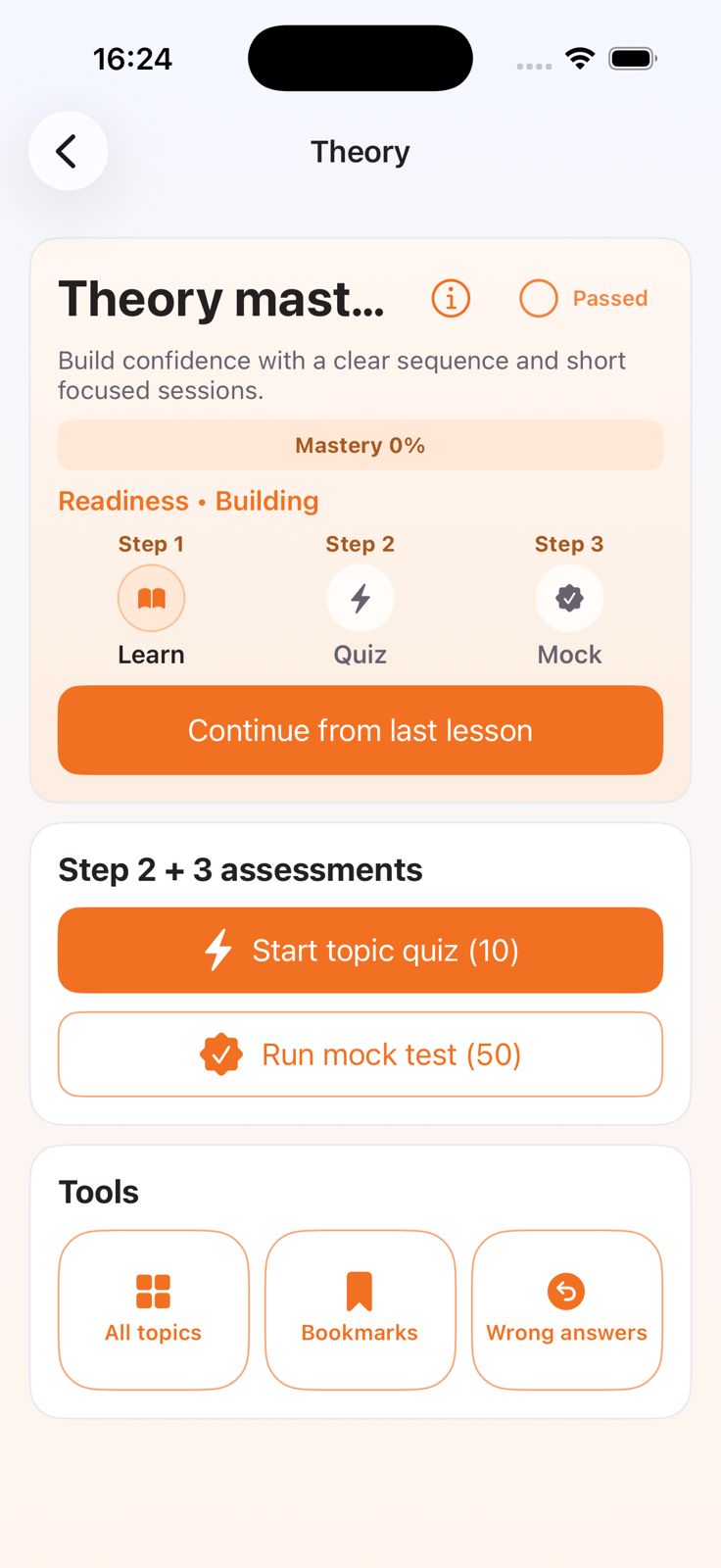
Drivest theory mastery screen.
Theory mastery and revision flow
Theory in 32 languagesHighway Code studyTraffic Signs revision

Around the test centre

Practise

Practical learning stays centred on selected test centres and repeatable route training.

Selected-centre routes

Pick a selected centre and practise reconstructed routes for repetition and local familiarity.

Off-route detection

Know when a learner leaves the route and clear the alert when they rejoin.

Offline support

Download route and hazard packs when connectivity is weak.
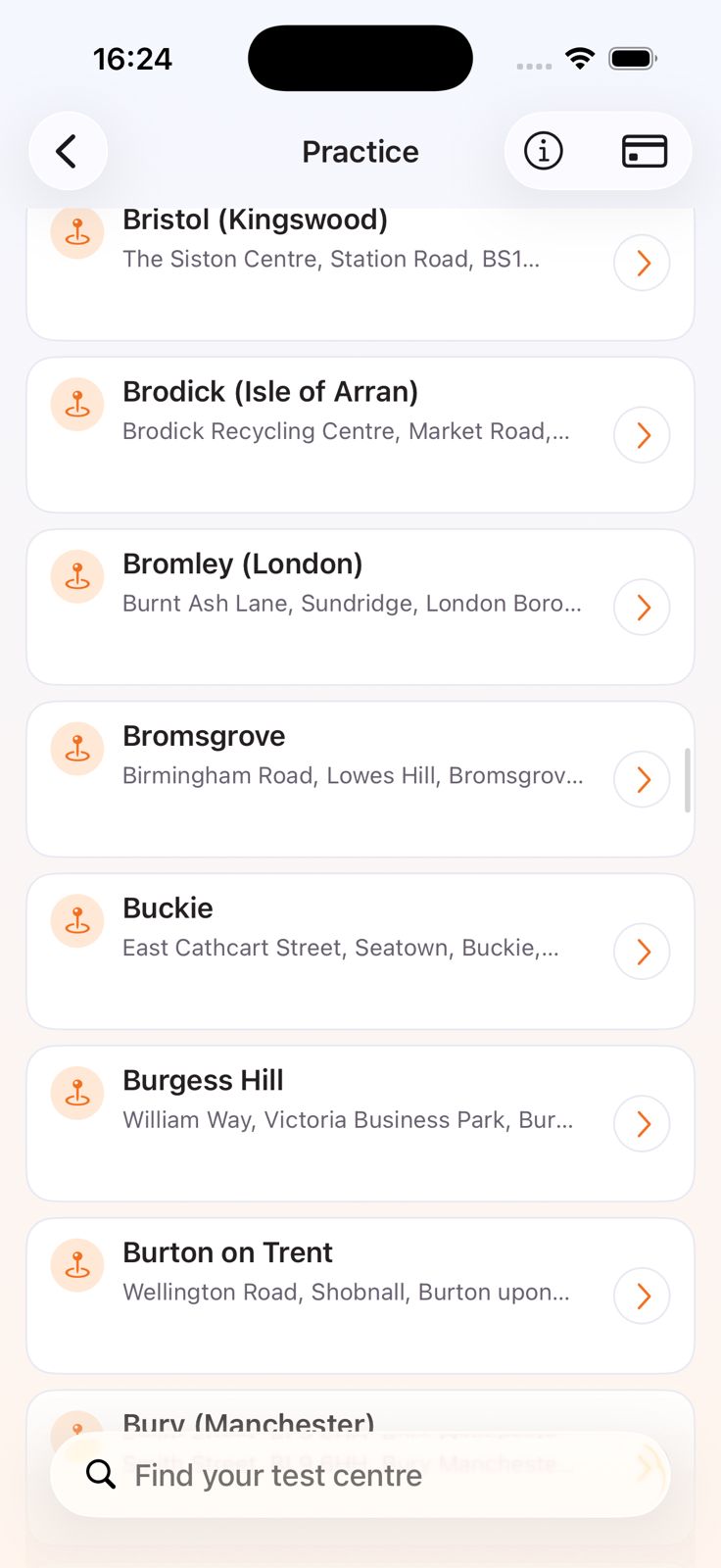
Drivest practice centres screen.
Selected-centre route entry point
Selected-centre routesOff-route detectionOffline support

First independent drives

Navigate and park

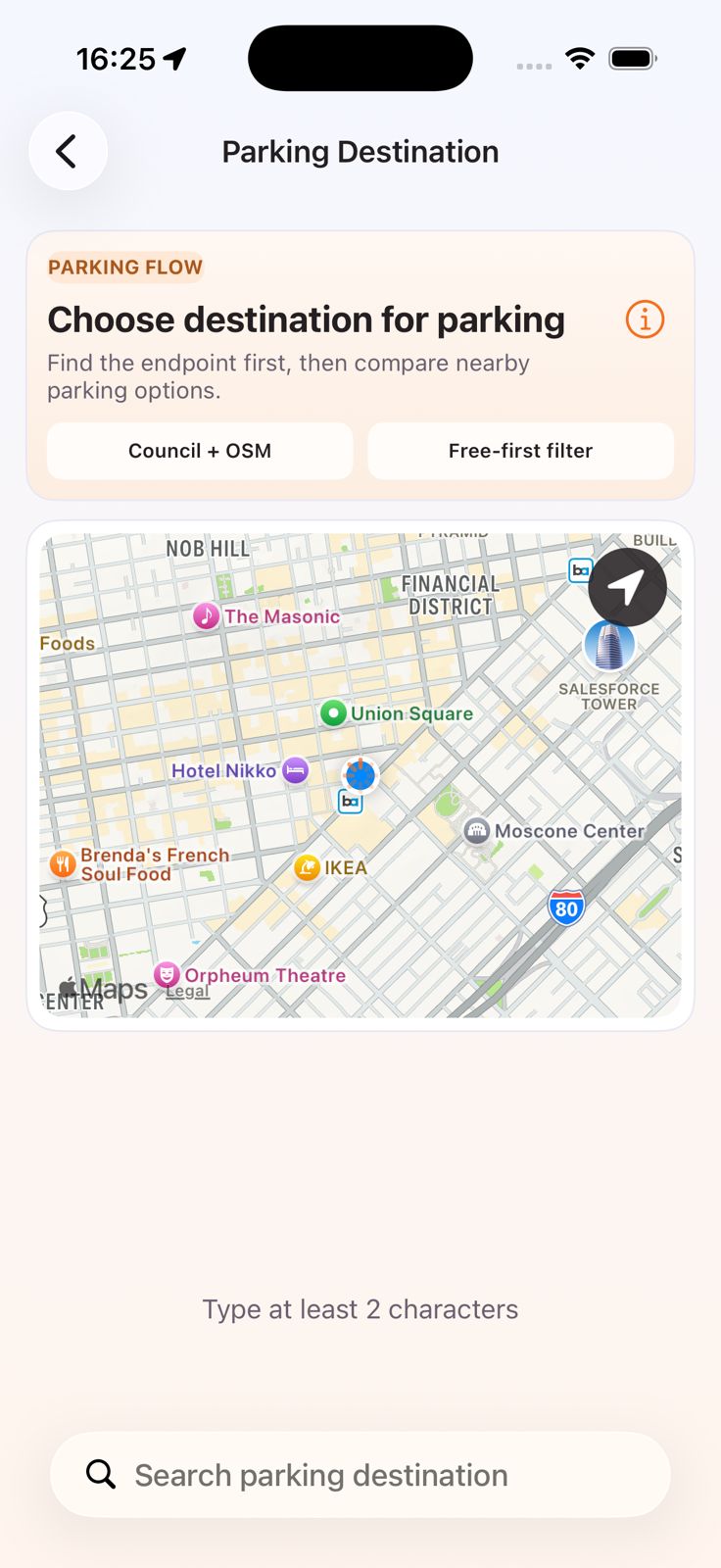
Navigation is designed to stay calmer for newer drivers and more practical near the destination.

Low-stress route choice

Where alternatives exist, Drivest can prefer calmer routes with a visible low-stress toggle.

Voice modes

Switch between voice guidance, alerts-only behaviour, or quieter support.

Parking companion

Search parking near the destination, review source signals, and choose options before arrival.
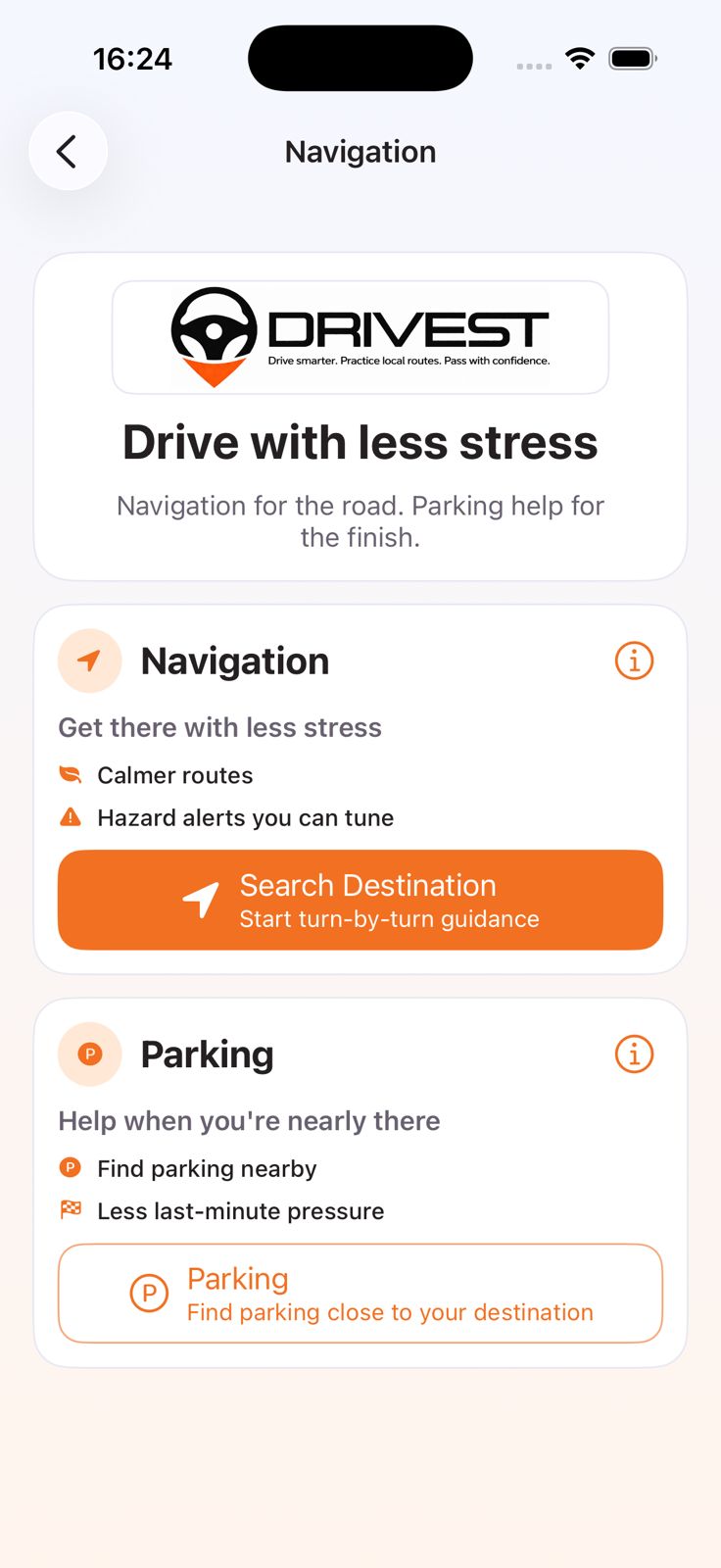
Drivest navigation overview screen.
Navigation, prompts, and parking support
Low-stress route choiceVoice modesParking companion

Where instructor flows are enabled

Book and teach

Instructor features support discovery, lesson requests, and linked-learner context where enabled.

Instructor information

Browse instructor profiles and availability instead of relying on off-platform coordination.

Instructor Hub

Where enabled, instructors can manage linked learners, booking operations, availability, and readiness.

Availability publishing

Where listing is enabled, instructors can publish dated lesson slots with duration controls.
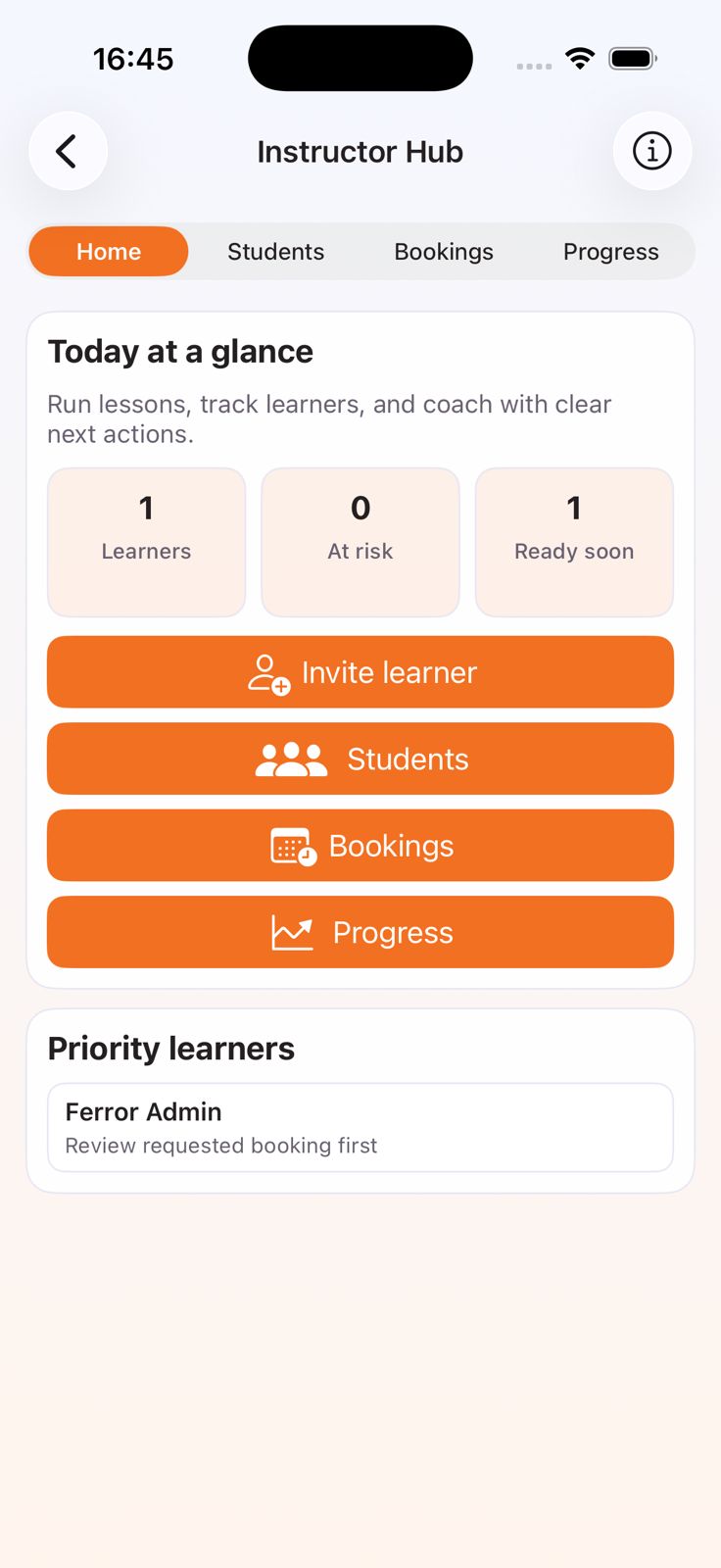
Drivest Instructor Hub screen.
Instructor Hub and booking operations
Instructor informationInstructor HubAvailability publishing

Signals that stay connected

Track progress

Progress, trust, and operational visibility are part of the product surface.

Learner analytics

See progress across theory, Highway Code, signs, route completion, and next steps.

Linked learner insights

Instructors can review learner confidence, readiness, and coaching context.

Notifications

Receive updates about lessons, booking activity, and account events.

Drivest learner home screen.
Progress, confidence, and next steps
Learner analyticsLinked learner insightsNotifications

Real product workflows already visible in Drivest

These screens show current product workflows already visible in the app.

Trust, not hype

Clear product boundaries make the public site stronger.

Drivest can look more polished without sounding broader than the evidence allows.

Theory content

Drivest theory questions are Drivest-created practice content for learning support.

Independent productNo DVSA affiliation claimEnglish Peek

Practice routes

Centre pages focus on reconstructed mock-practice routes for local familiarity, not route prediction.

Not official routesNo real-route predictionNo pass guarantee

Driving support

Navigation, parking, and sign-scanning outputs are advisory and may rely on third-party data.

Check live signsPlan before movingReal-world conditions win

Instructor flows

Instructor discovery, availability, booking, and payment claims stay conditional on participating supply and enabled flows.

Where enabledAvailability varies by areaPrice shown before confirmation

Safety and trust

  • Real-world driving, lessons, bookings, and navigation must follow UK legal requirements.
  • Drivest guidance is advisory only and may be incomplete or delayed.
  • Practice routes are reconstructed for learning and are not official driving test routes.
  • Keep full control of the vehicle and always follow live road signs, road markings, and traffic laws.
  • Do not interact with the app while driving.
  • Independent instructors remain responsible for their own lessons, licences, insurance, and legal compliance.

On arrival

Parking outputs are advisory only and may not reflect live restrictions.

Check local signage and restrictions before leaving the vehicle.

32 supported languages with English Peek

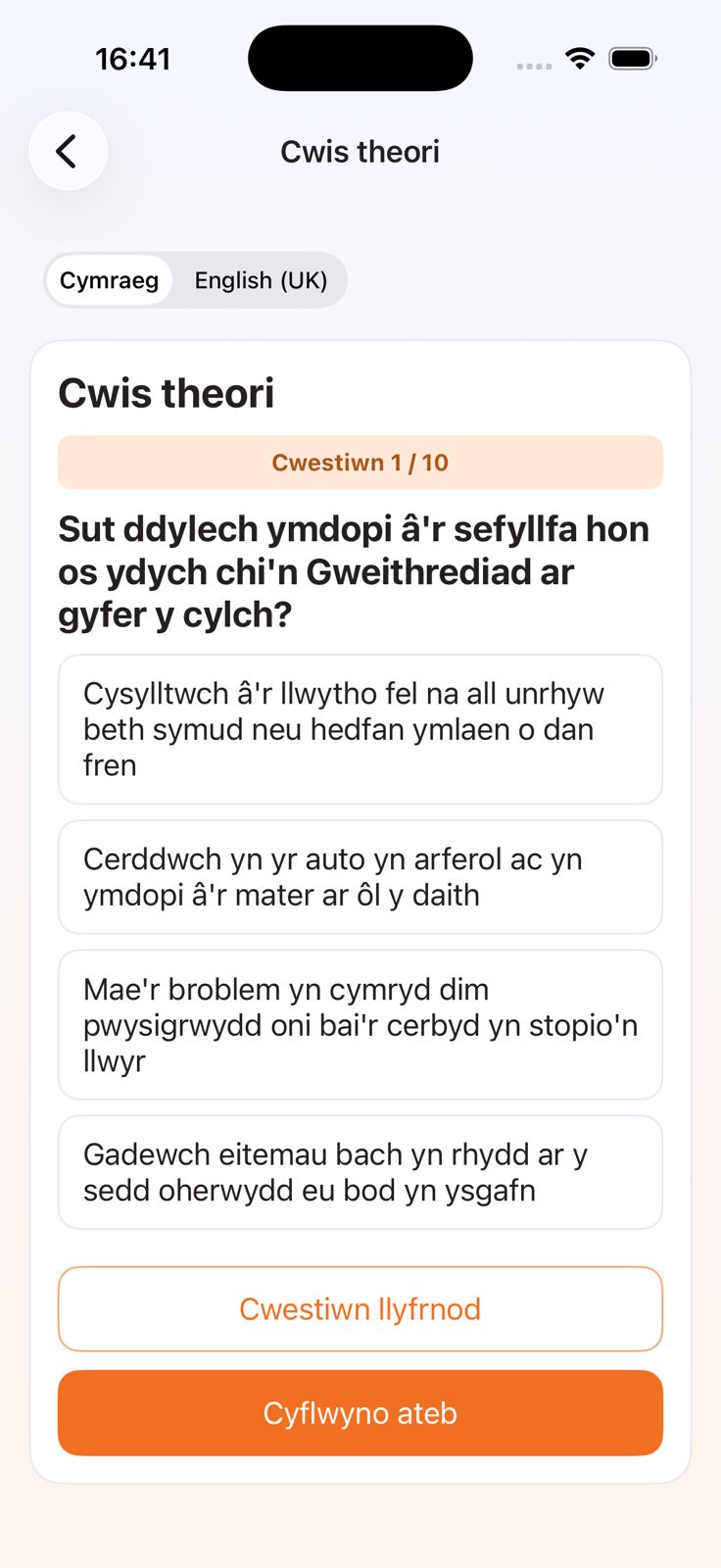
Study in the language you understand best, then open English Peek when you want the English wording.

ArabicWelshFrenchGujaratiKurdishPunjabiUrduVietnameseSimplified Chinese
Theory question screen in Simplified Chinese with English UK option visible.
Theory question with English Peek
Welsh Drivest home screen showing translated module labels.
Welsh-translated home screen
Theory question screen with English UK available beside Welsh.
English Peek inside theory flow
Users can study in a preferred language, including Welsh and Arabic, then open English Peek on the same question before answering.

Go straight to what you need

Choose the Drivest page that matches your next step.

Theory test preparation

Study theory, Highway Code, road signs, and fines in 32 supported languages with English Peek.

  • Start before practical lessons begin
  • Revise theory, signs, and Highway Code in one flow
  • Use English Peek on the same question

Driving test centres and practice routes

Choose a selected test centre and repeat reconstructed practice routes with alerts, offline packs, and road prompts.

  • UK test centres with enough published route depth to make local practice useful
  • Reconstructed routes for learning, not official driving test routes
  • Built for repetition around a chosen centre

Independent driving instructors

Browse instructor information, view stated availability, request lessons where enabled, or join Instructor Hub.

  • Instructor discovery without leaving the app journey
  • Lesson requests, payments, and cancellations tracked where enabled
  • Linked learner context for instructors where enabled

How Drivest works

See learner and instructor routes, stage setup, and next steps before choosing a plan.

  • Role-based onboarding for learners and instructors
  • Stage-aware routes into theory, practice, and bookings
  • Pricing and FAQ linked to the same journey